

Guides
Practical guideGetting started on Stake: essential settings
Set up Stake after registering: language, Wallet value in your currency, Vault, rakeback, security and progress through the VIP programme.
Published by The Gambling Desk ·
After registering, adjust the display, familiarise yourself with the Wallet features and secure your account before you begin.
Language
Choose the interface language in the side menu.
Wallet
Display crypto balances and their fiat equivalent.
Security
Enable 2FA before moving or storing funds.
VIP
Distinguish wager, rakeback, bonuses and rank progress.
Set Stake to your language
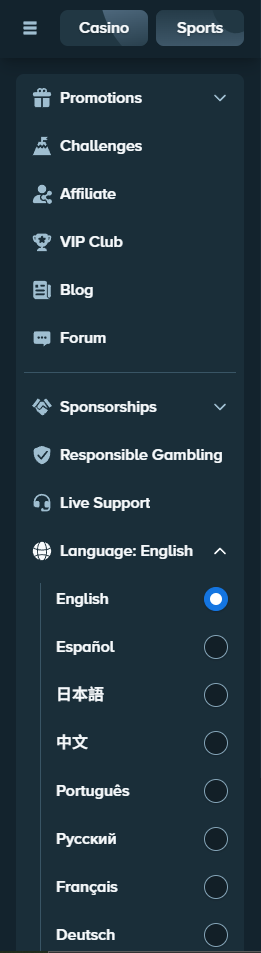
Open the side menu, scroll down to Language, then choose your preferred language. On mobile, open the main menu first. If a screen does not update immediately, reload the page.
Display your Wallet in your preferred currency
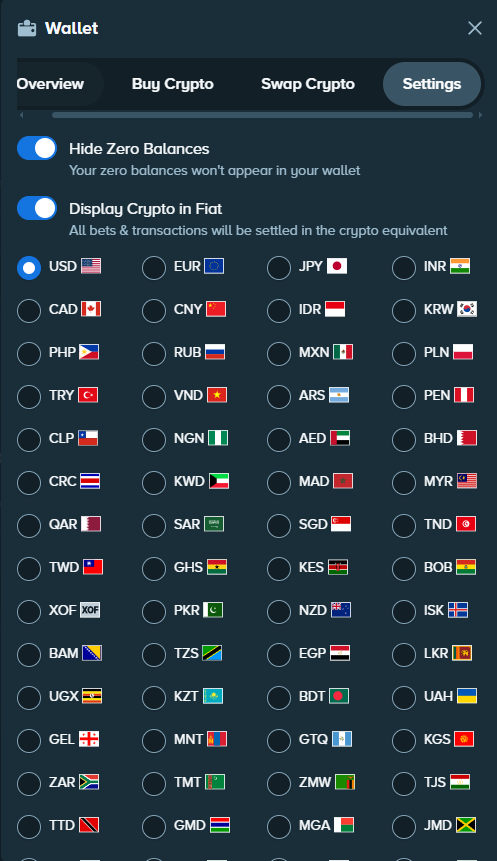
Open the Wallet, go to the Settings tab, then enable Display Crypto in Fiat. Next, select EUR, USD or another available display currency.
The fiat value remains an estimate that follows cryptocurrency prices. Changing this display currency does not actually convert your funds.
Understand your balance and the Vault
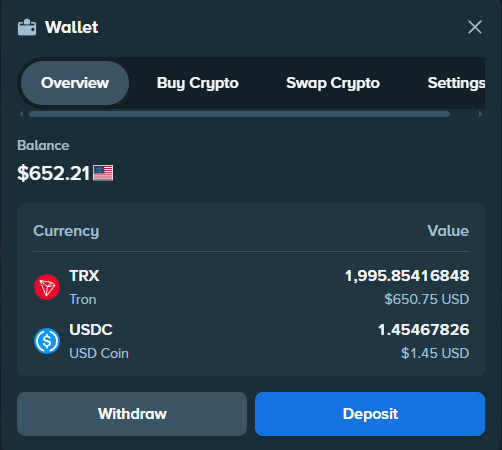
The Wallet brings together the assets you hold and your available balance. The Vault lets you set aside part of that balance so it is no longer immediately available for gambling.
Open Account → Vault, choose the currency and transfer the amount you want. To retrieve it, make the reverse transfer back to your balance. Stake protects the Vault with the account's security measures, including the password, verified email and 2FA.
Claim your rakeback
Rakeback returns a portion of the theoretical house edge associated with your wagers. It becomes available among the VIP benefits from Bronze onwards.
Open VIP → Rakeback to view and claim the amount you have accumulated. It should not be confused with Weekly or Monthly bonuses.
Understand wagering and VIP progress
Wagering means the total amount staked, not the amount deposited. Every eligible wager advances the progress bar in the Stake VIP programme.
To find out how much wagering remains before the next rank, use the VIP calculator.
Progress through the VIP ranks with Dice
Open Stake Originals → Dice, switch to Auto mode and set the win chance to 98%. Choose a small stake suited to your balance, then start automatic bets.
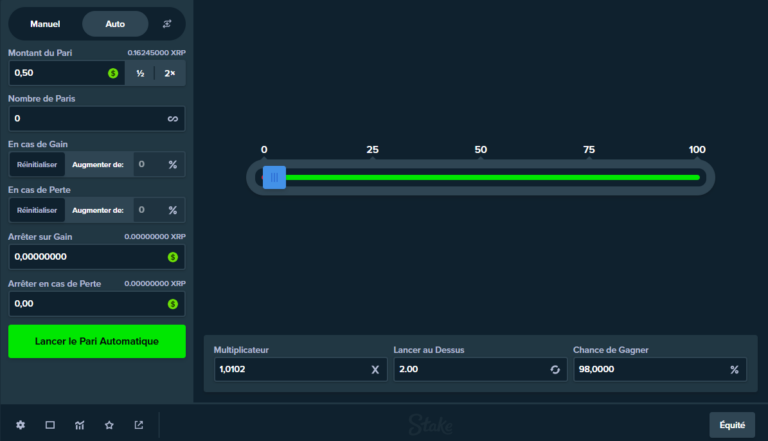
The high win probability makes it possible to place many small bets in succession. Each one contributes to wagering, but the individual wins are very small and a loss remains possible. Monitor your balance and stop the session if the decline becomes too great.
This technique is intended to generate wagering, not to make money. The house edge statistically reduces the balance over time, and no rank bonus is guaranteed to offset the loss.
Settings to check before you begin
Enable 2FA with the guide to securing your Stake account, then check the language, display currency, Wallet and Vault. To distinguish between VIP benefits, see the page on Stake Weekly and Monthly bonuses.
FAQ
Does changing the display currency convert my crypto?
No. The Wallet only displays an estimate in the chosen currency. The assets you hold are not converted.
Are the Wallet and Vault the same thing?
No. The Wallet shows your assets and available balance. The Vault separates some funds from the balance available for gambling.
Where can I claim rakeback?
Open VIP → Rakeback.
Is wagering the same as the amount deposited?
No. A deposit funds the balance; wagering adds up the eligible bets placed.
Can the Dice technique make money?
No. This technique is used to generate wagering and progress through the VIP ranks. The high win probability limits the variation on each bet, but losses remain possible and the house edge statistically reduces the balance over time.